Automating tasks with MCP
The Problem
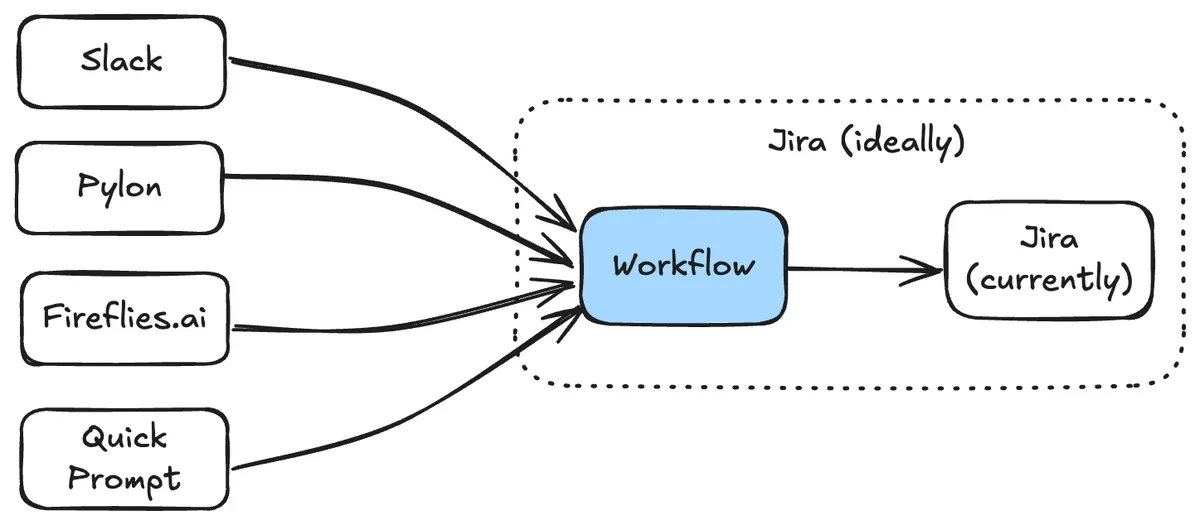
Solution Engineers at StackOne face challenges when creating Jira tickets. The workflow interrupts context and tickets originate from scattered sources—Slack conversations, meetings, Pylon issues, design docs, and office discussions.
The Dream
We wanted a streamlined system where tickets could be:
- Created or drafted with minimal prompts
- Automatically linked to customers and references
- Checked against existing tickets to prevent duplication
- Investigated for feasibility using StackOne’s AI tools
- Generated with minimal human intervention post-meeting or when mentioned in Slack
The Solution Architecture
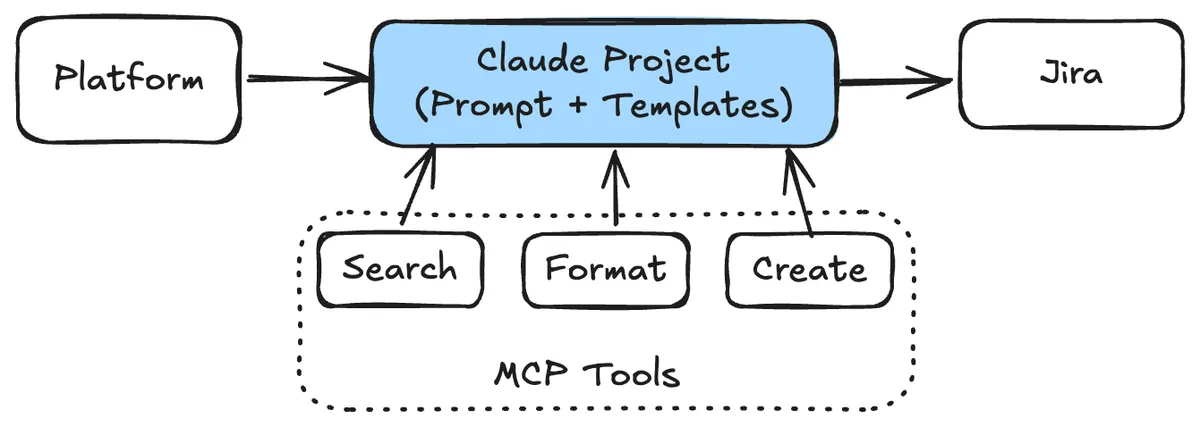
I chose Claude Desktop as the client, leveraging Claude Projects to store comprehensive prompts and contextual data.
Components:
- Client: Claude Desktop with Projects feature
- MCP Server: Started with mcp-atlassian, then built a custom server
Building the Workflow
Step 1: Project Prompt Development
Claude analyzed 100 existing tickets and identified four primary ticket types: Mapping, Documentation, Webhooks, and Investigation tasks. The system inferred priority-handling patterns and created templates with examples.
Step 2: Coverage Data Integration
We uploaded CSV files containing integration coverage information, categorized by type (HRIS, ATS, etc.), enabling Claude to understand which fields and operations were already covered.
Step 3: Custom MCP Server
The off-the-shelf MCP server couldn’t handle StackOne’s numerous mandatory custom fields. Using Cursor with MCP documentation and sample Jira API requests, I built a custom server with:
create-jira-tickettoolget-stackone-customerslookup tool
Current Capabilities
The system successfully:
- Creates tickets from basic prompts
- Generates tickets from Slack screenshots
- Parses meeting transcripts to identify ticket-creation moments
- Automatically includes customer IDs when mentioned
- Runs JQL queries to identify and prevent duplicate tickets
Future Enhancements
- Expand ticket type support
- Improve prompt quality
- Query dynamic field coverage data
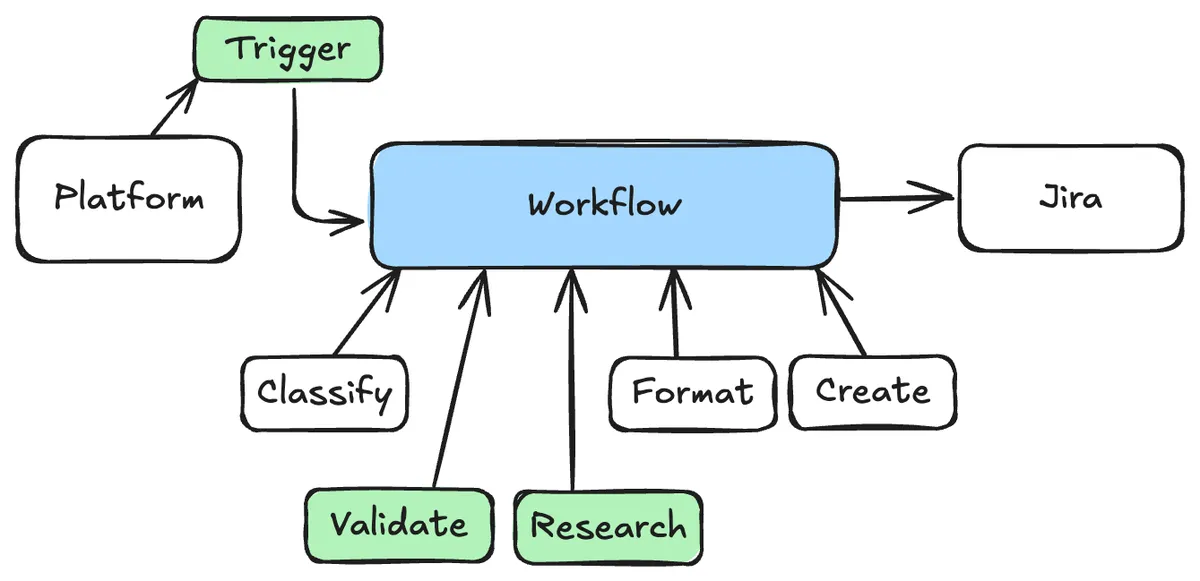
- Integrate StackOne AI tools for feasibility validation before ticket creation
- Host prompts and servers for team-wide accessibility and on-demand triggering
- Automate feature tracking via Jira tickets